Help with My Pension
My Pension is a secure online service that allows you to manage and monitor your GMPF pension in one place. It provides up-to-date information about your pension and gives you tools to complete key tasks online.
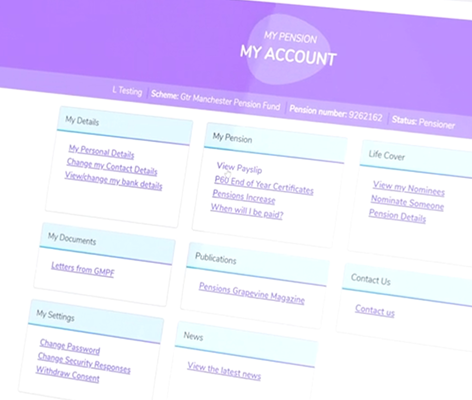
Your Pension at a Glance
My Pension is a secure online service that allows you to manage and monitor your GMPF pension in one place. It provides up-to-date information about your pension and gives you tools to complete key tasks online, helping you plan and prepare for retirement with confidence.
View your current pension figures & annual benefit statements
Update your contact details and personal information
Access and store pension documents securely
Upload forms and supporting documents online
Manage tasks related to your retirement, where eligible
Manage your pension online
Access your account
Log in to your My Pension online account to view:
- your pension details,
- statements,
- personal information.
Plan & estimate
Use the calculators and tools to:
- estimate your pension,
- explore lump sum options,
- plan for retirement.
Manage changes
Update and view your information like:
- personal details,
- track requests,
- tasks or notifications.
Take your pension
When you’re ready, initiate the retirement process by:
- submitting a request online,
- uploading required documents,
- tracking progress.
Frequently Asked Questions
Find answers to common questions and get help managing your My Pension account online. Browse guidance on registration, account access, documents, and retirement.
Register & Login
To create your account on My Pension go to mypension.gmpf.org.uk and follow the instructions. You’ll first need to agree to the use of personal data, then confirm your surname, date of birth and National Insurance number.
If you’re a parent or guardian of a child under 18, you can create a My Pension account to access details of your child’s pension. We’ll write to you shortly before your child reaches 18 to let you know that we’ll be deactivating your online account.
If it’s your first time using My Pension since our upgrade then you’ll need to create an account first. To log in, enter your email address and password, then click Submit. You’ll then enter the 6-digit two-factor authentication code sent to your mobile.
When you have finished using My Pension, select Log out from the account menu to end your session securely.
Still Need Help?
Our member services team is here to help with any questions about your pension.